

The 24.8.0 release is now available, packed with new features designed to enhance your network management experience! Released on August 22, 2024 (SaaS) and August 29, 2024 (on-prem), this update offers a wide range of improvements—from intelligent query assistance to advanced storage management and dynamic device matching. No matter your role, there's something for everyone in this release!
NQE - AI Assist
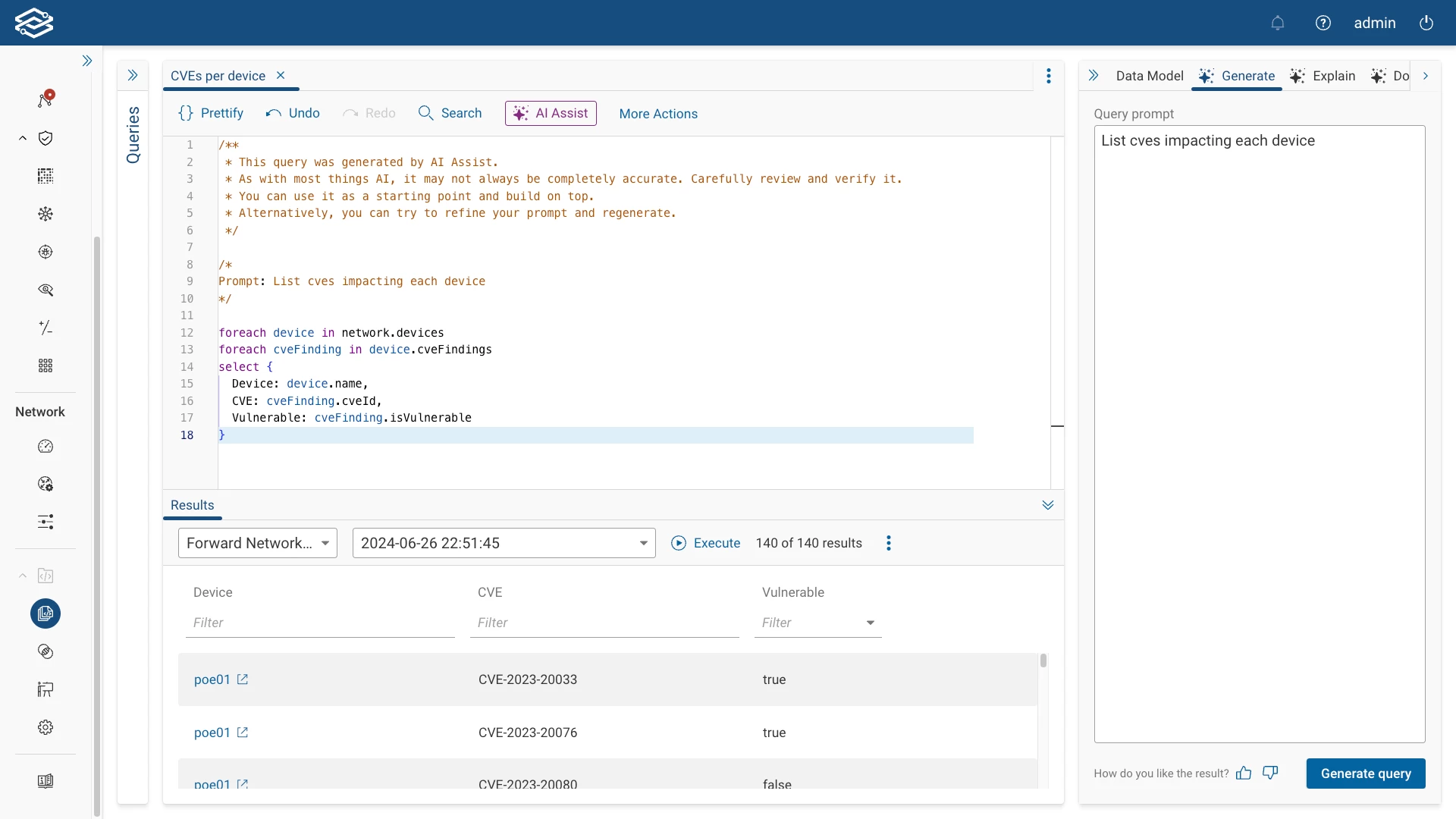
The 24.8.0 release introduces AI Assist for NQE, a new feature that simplifies writing and managing network queries. With AI Assist, users can now generate accurate NQE queries by typing in natural language prompts without needing to understand complex query syntax. AI Assist provides intelligent suggestions, real-time error detection, and step-by-step guidance, making it accessible to users of all skill levels.
For example, rather than manually building and fine-tuning a query to list all CVEs impacted every device within a network, you can use a simple prompt like, “List CVEs impacting each device,” and let NQE AI Assist do the work. This allows you quickly identify potential performance issues without spending valuable time writing complex queries.
AI Assist is designed with data privacy and security in mind. The model runs entirely within our platform, hosted securely in AWS, ensuring that your data remains private and is never shared externally. No data is transmitted to external services; everything stays within Forward Networks. Prompts, generated queries, and feedback are used solely to improve the accuracy of the model and enhance the feature for all users.
Topology - Improved Visual Handling of Access Points (APs)
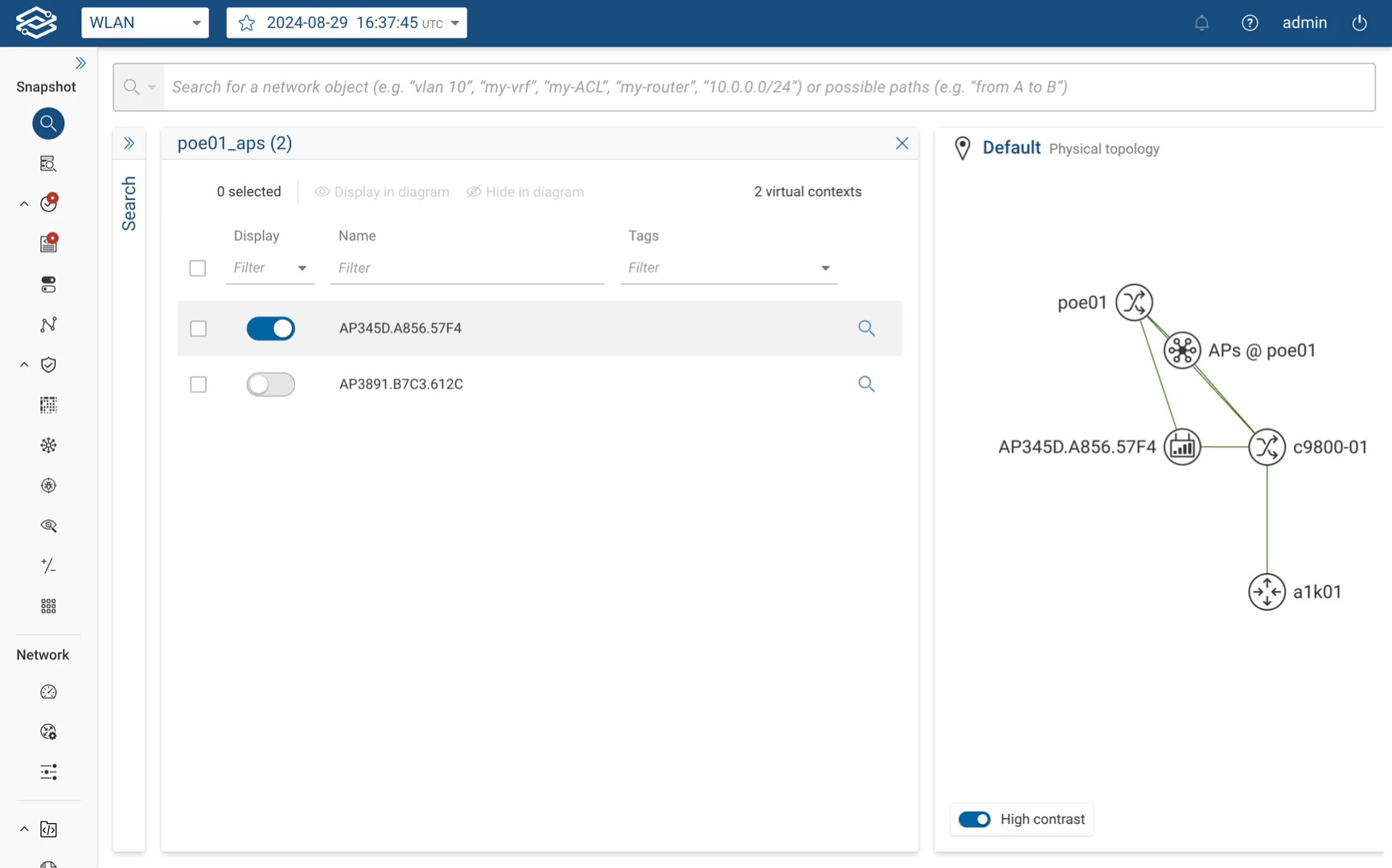
We’ve implemented a new AP Bundling feature within the Topology view to manage the display of Access Points more effectively. APs are now grouped into a single node based on their upstream device connections, keeping the Topology view organized and easy to navigate. This enhancement is similar to the virtual context bundling introduced in release 24.6.
Data Analysis - NQE-based dynamic connections for L2 VPN and Internet Nodes
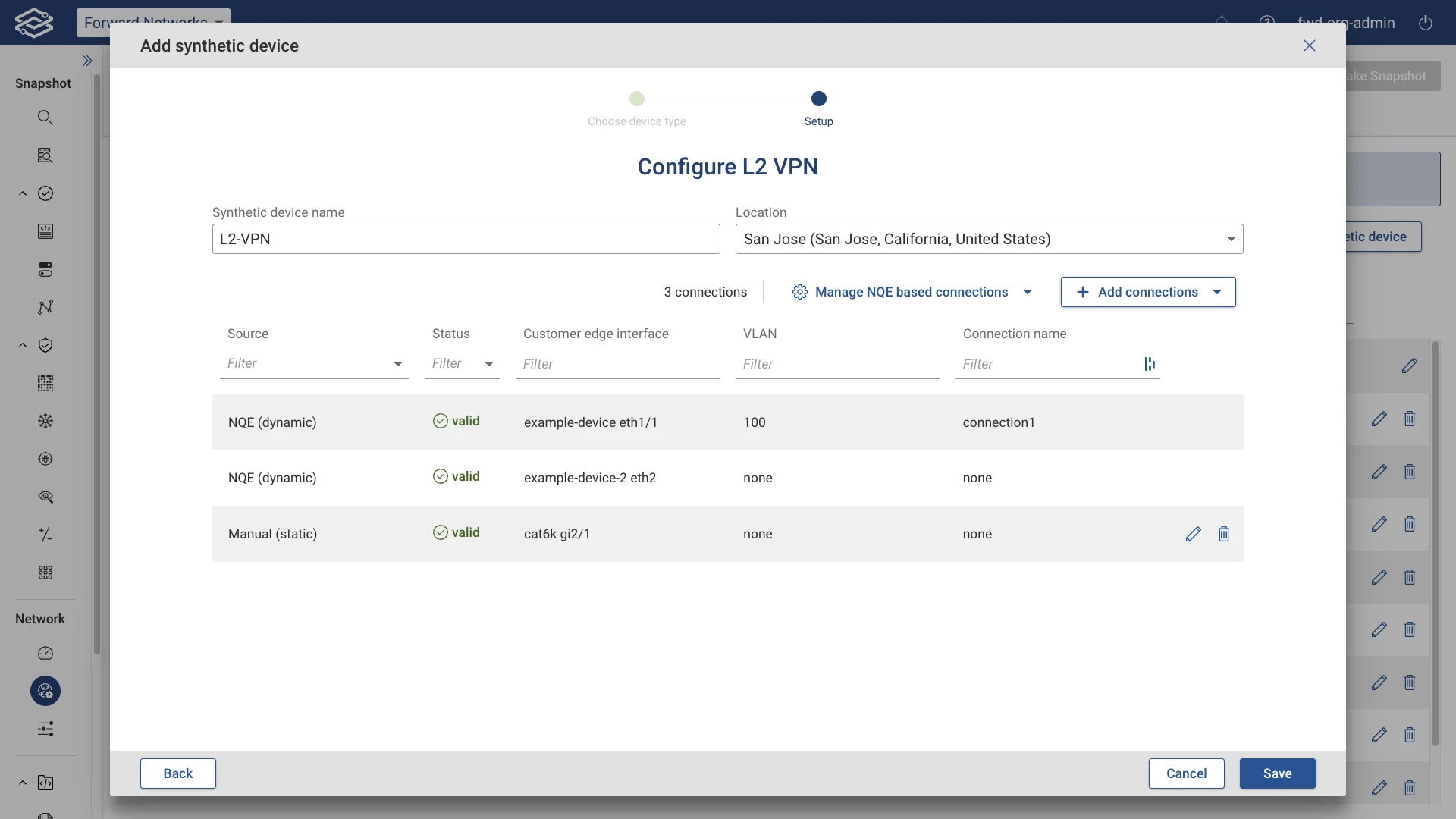
L2 VPN and Internet nodes in Forward Enterprise are synthetic devices that model Layer 2 VPNs and public Internet connections. L2 VPN nodes represent virtual networks that extend Layer 2 domains across the WAN. In contrast, Internet nodes simulate the public Internet or third-party network infrastructure, enabling comprehensive path analysis across internal and external networks.
Previously, L2 VPN and Internet nodes had to be manually configured and updated, which could be time-consuming and prone to errors. With the 24.8.0 release, we have introduced support for NQE-based dynamic connections for these synthetic devices. This enhancement enables users to associate NQE queries with L2 VPN and Internet nodes, allowing them to be automatically updated with each new snapshot.
For more information, visit the documentation pages for L2 VPN and Internet nodes.
Access Control - Device-based Access Control - Glob support
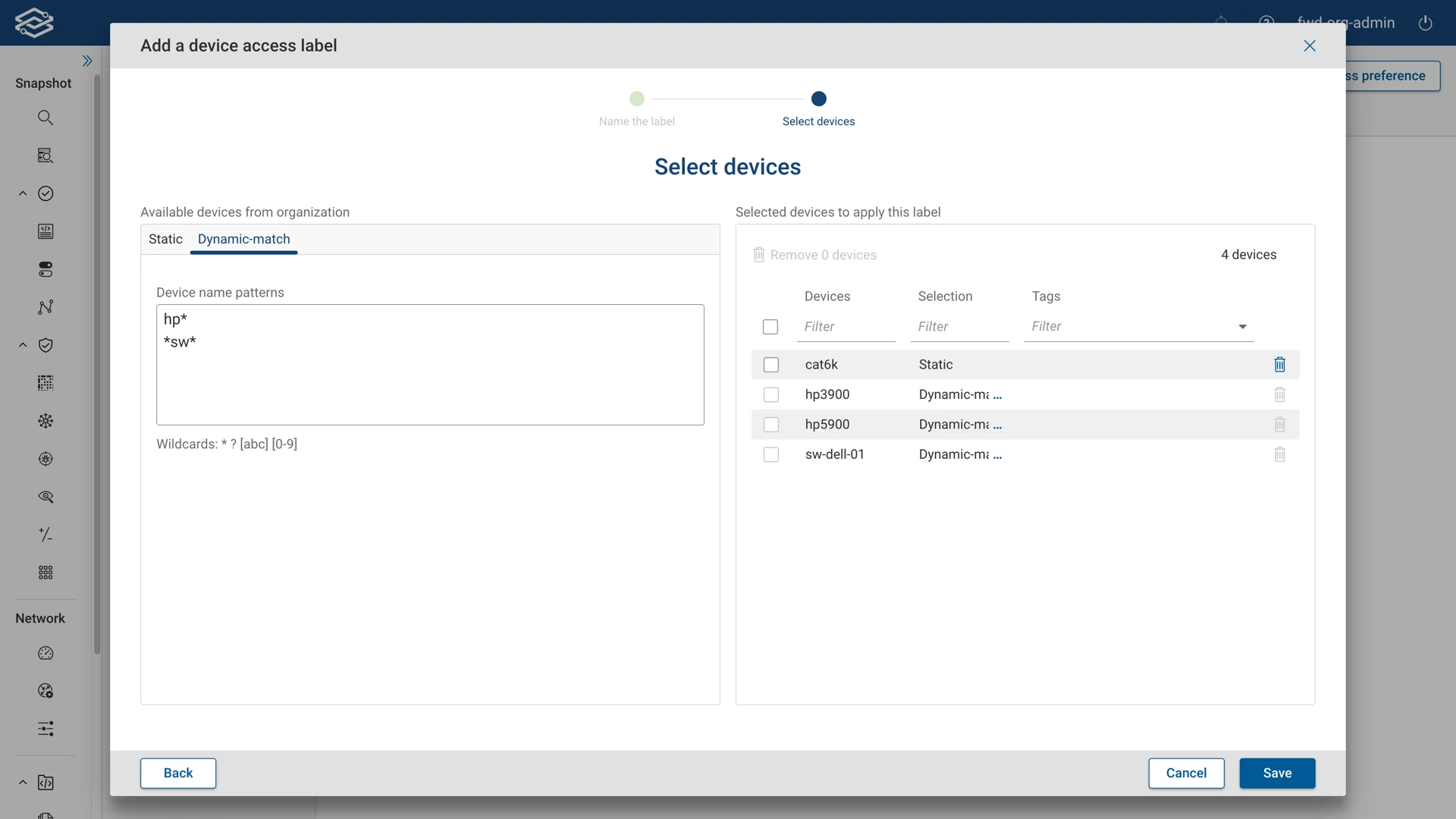
In the 24.8.0 release, we’ve enhanced the process for managing device access labels by introducing dynamic device matching using glob patterns. With dynamic device matching, devices are automatically added to device access labels based on name patterns. For example, using a pattern like DNA* will automatically include devices such as DNA-SW-01 in the relevant label. This process allows for a more flexible approach to managing devices, as you can now choose between static (manual) selection and dynamic-match (pattern-based) when adding devices to a label.
Platform - Storage Management Improvements
Disk Space Notifications
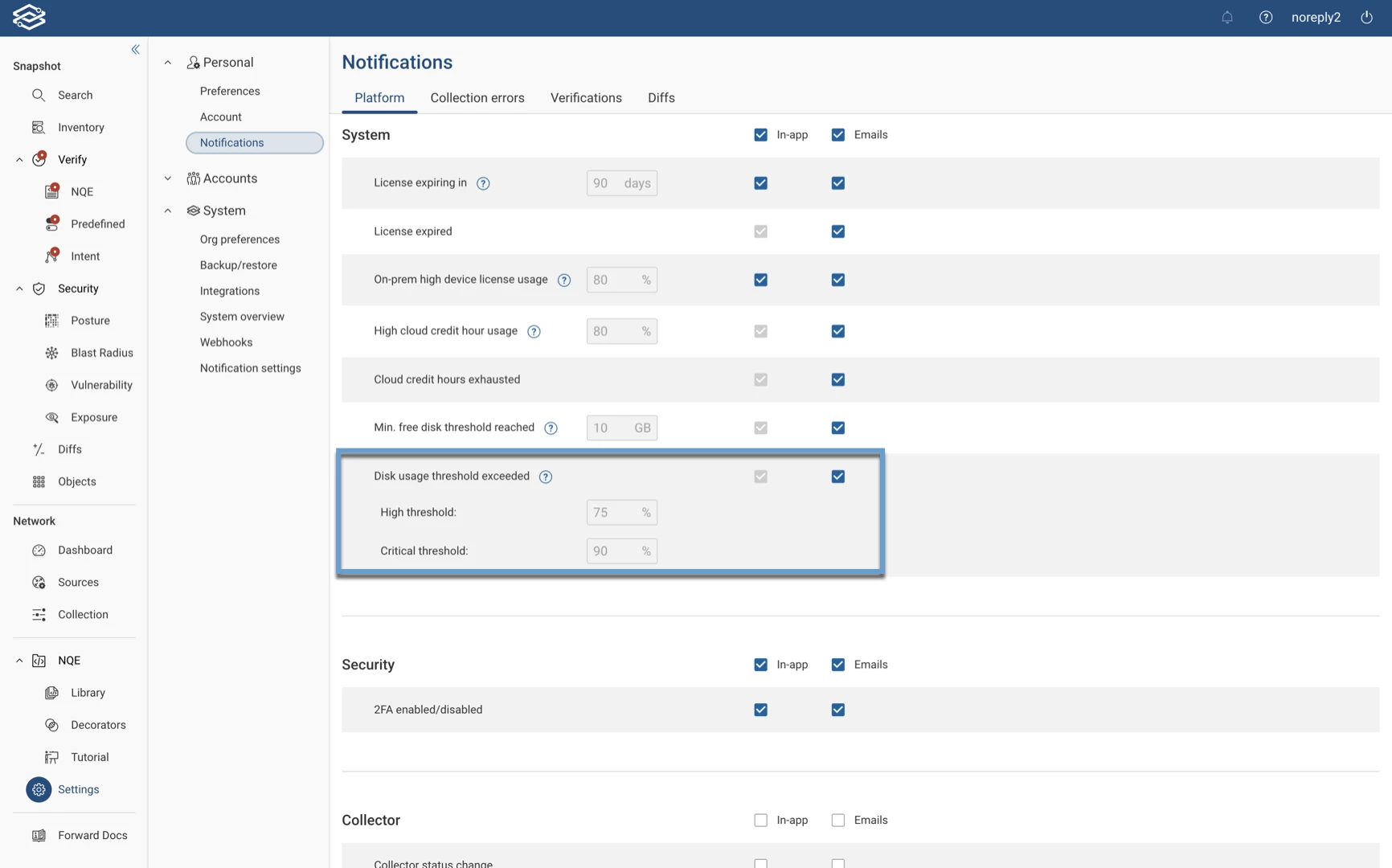
We’ve introduced several enhancements to improve disk space management and storage efficiency across the platform. Users will now receive notifications when disk usage reaches critical thresholds. These notifications, which appear both in-app and via email, alert users when disk space is low, or the system enters into read-only mode due to insufficient space. Additionally, the System Overview page now includes a disk usage status, providing a clear view of disk usage for each node.
Automatic Snapshot Invalidation
To optimize storage, the platform now automatically removes derived data from snapshots that haven’t been accessed in 30 days, helping to manage storage more efficiently. While the associated data is deleted to free up disk space, the original snapshots are preserved and can be reprocessed at any time if needed. Users can adjust the expiration period according to their requirements, with favorited snapshots being exempt from this process to ensure that essential data is retained.
Platform - Snapshot background processing improvements
With the 24.8.0 release, we've made it easier to manage snapshots by enabling background processing by default. The platform now reprocesses snapshots automatically, ensuring they are always up to date without needing manual input. This helps reduce workload and keeps historical data relevant.
Additionally, there is now the option to configure the number of days for which background snapshot reprocessing is enabled. This feature is particularly beneficial for those who need to maintain a specified amount of historical data available for reporting or compliance purposes.
Additional Features
- UI - Migration of the file editor to Monaco: The file editor has been migrated to Monaco, a more robust and user-friendly code editor. This migration enhances the editing experience by providing better syntax highlighting, error detection, and improved overall usability for users editing configuration files or NQE queries.
- Search - Traffic defaults have been added for TCP_Flags and IP_FRAG Offsets.
- Collection - Added support for certificate-based authentication for port forwarding jump servers.
- NQE - Data model updates with additions such as VLAN entries and port speed.