

We're thrilled to roll out the red carpet for the new 24.4 release! This latest update significantly enhances some key features and introduces an innovative dashboard for tracking a network’s health and performance. 24.4 is now available for both SaaS and on-prem deployments. Here’s an overview of what to expect for this release:
Insights Dashboard
The new Insights Dashboard centralizes all dashboards and essential data into a single integrated view of your network's key metrics. Designed to be intuitive, it delivers role-specific insights tailored to the unique aspects of the networks you manage, incorporating data from various sources, including external ones.
The dashboard includes a dropdown to select which Snapshot to display and breaks the dashboard up into several key sections:
- Vulnerabilities and Verifications: Provides key CVE metrics, a list of the top 10 CVEs (by configuration and OS version), and total active verifications.
- KPIs and Scorecards: Displays scores and metrics from the KPI and Scorecards dashboard.
- Lay of the Land: This section offers an infrastructure overview, highlighting cloud accounts, compute instances, vendor-specific device counts, connection stats, and other vital network metrics.
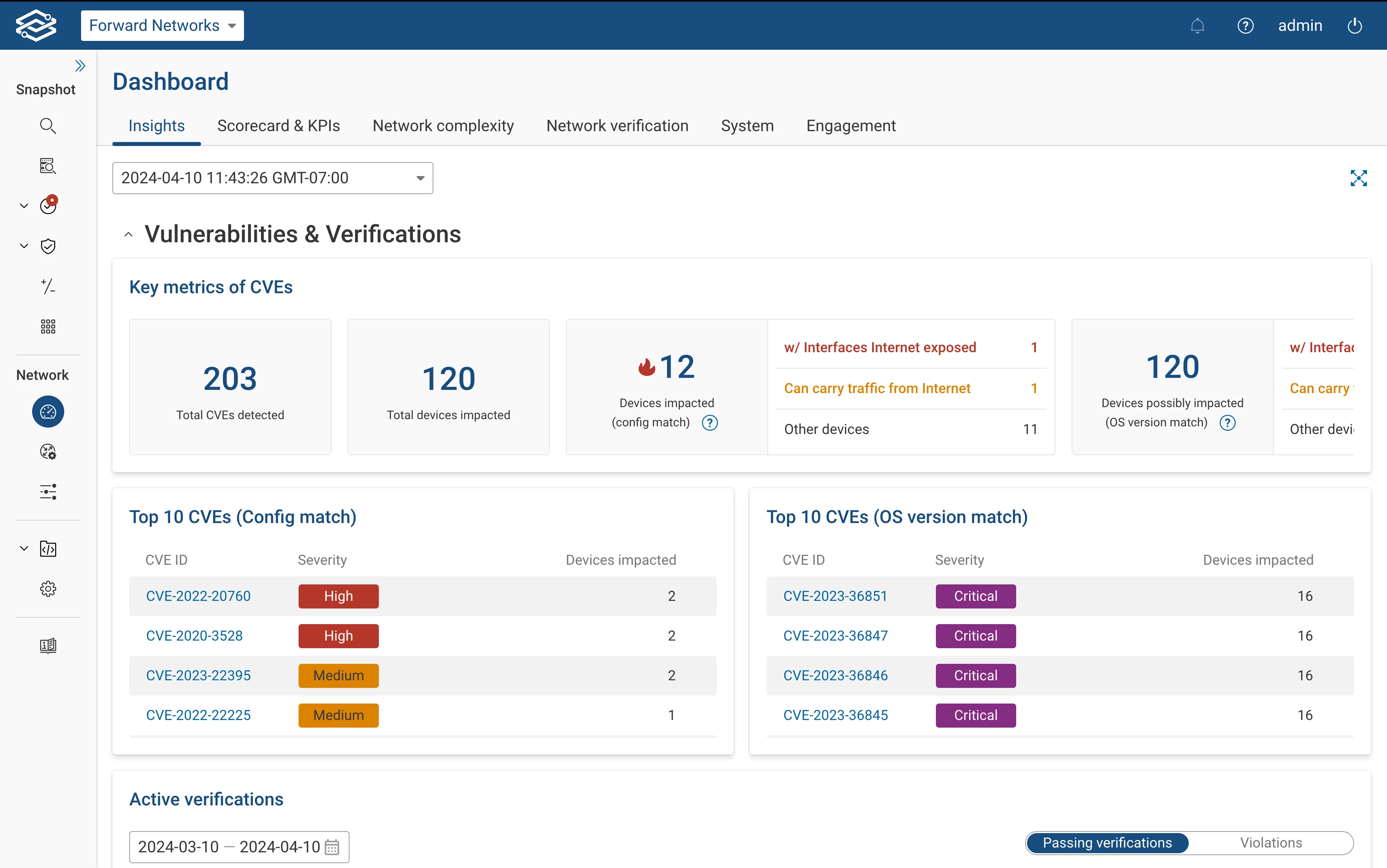
You can find the Insights dashboard by selecting the Dashboards icon from the navigation bar.
If you would like more information about the Insights dashboard, you can visit our documentation page.
Diffs – Automated Diffs
Change is constant, and with Automated Diffs, you’ll never miss what’s new after an update. Automated Diff reports are triggered with each new Snapshot and provides a summary of the changes made, such as device configs, IP routes, interfaces, VLANs, links, and devices. Users can select which networks to subscribe to within the Notifications page.
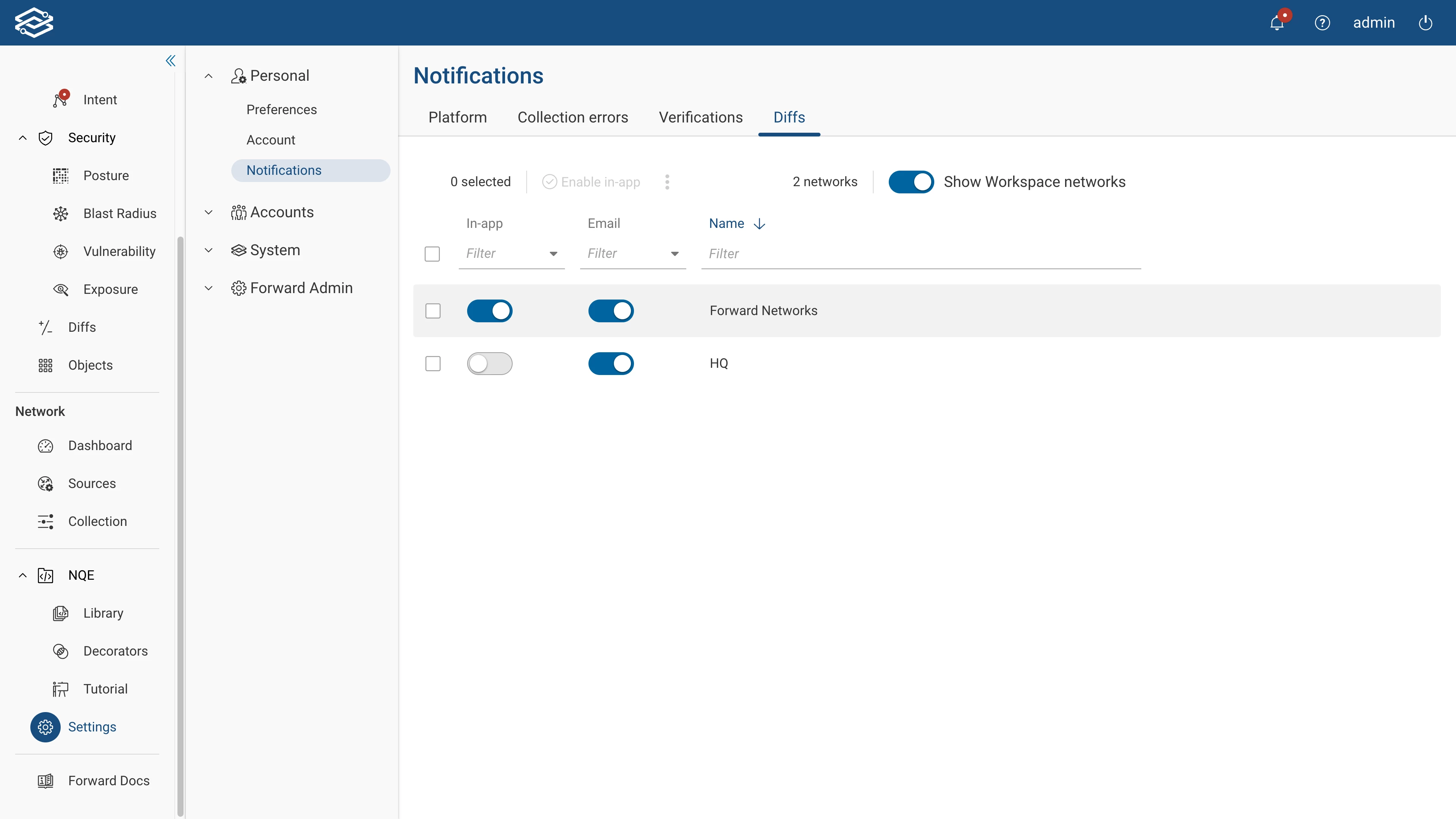
Navigate to the Diffs tab on the Notifications page to get started.
If you would like more information about automated Diff notifications, you can visit our documentation page.
Backup & Restore – S3 Backups
We've improved the S3-compatible storage backup setup, introducing new functionalities like immutable backups and bucket ownership override for enhanced data security and management flexibility.
- Immutable backups: A new option is now available when configuring S3 buckets. When enabled, selected S3 buckets will enforce external management of backup retention.
- Bucket ownership override: Users can now assert ownership of an S3 bucket during setup if already claimed by another Forward Cluster.
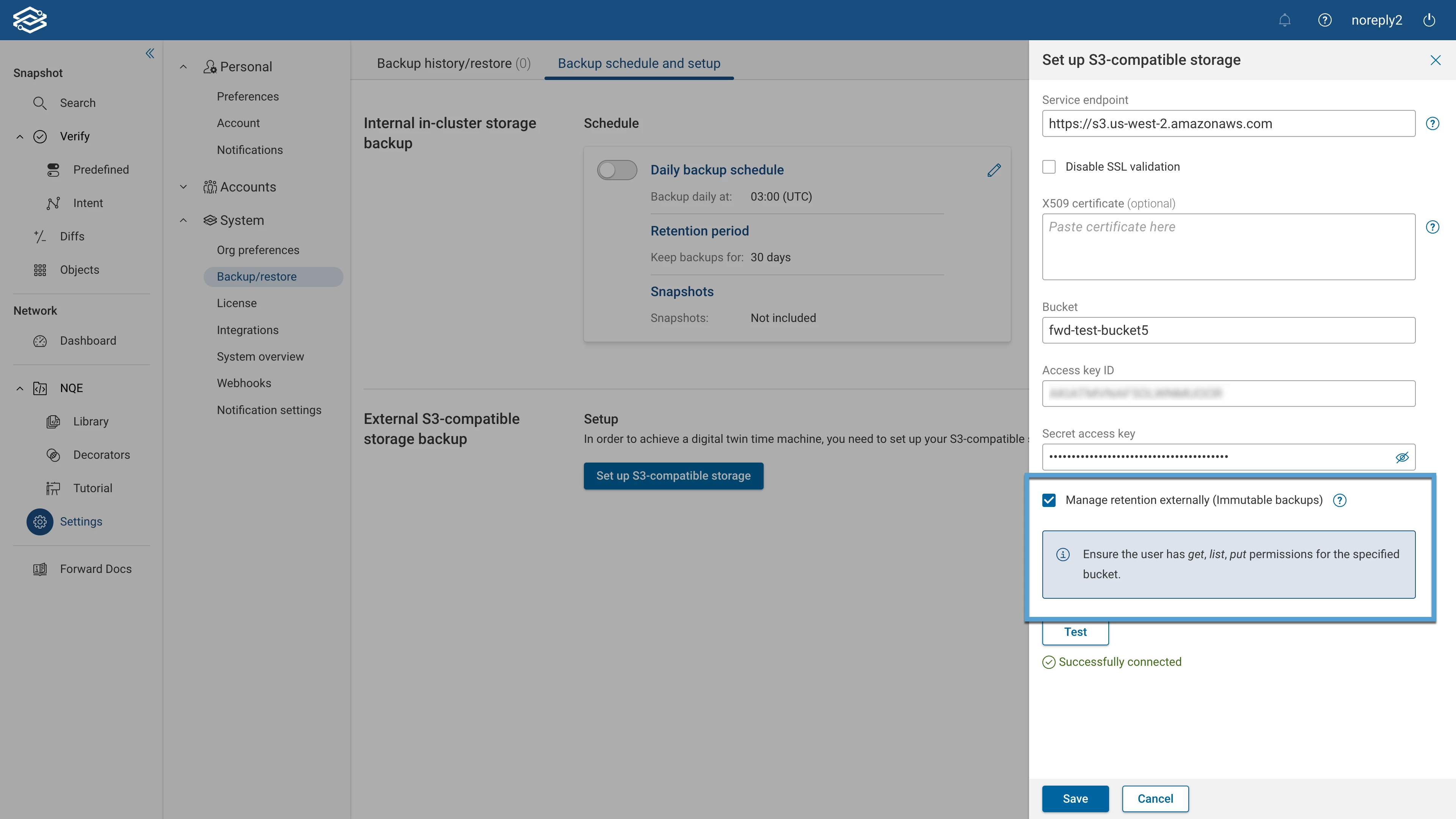
If you would like more information about setting up S3-compatible storage, you can visit our documentation page.
Snapshot Merging
A new workflow has been added to easily merge previously exported Snapshots with the latest Snapshot of a network. This facilitates an all-encompassing view of separate network enclaves, ensuring seamless network data integration. Additional options for handling duplicate device data between Snapshots have been introduced; these are:
- Override with imported data: Replaces existing duplicate device data with data from the imported snapshot.
- Ignore import and preserve existing device data: Keeps the current device data intact, disregarding duplicate data from imports.
- Abort if there are merge conflicts: Cancels the merge if conflicting data is found and provides a list of the detected conflicts.
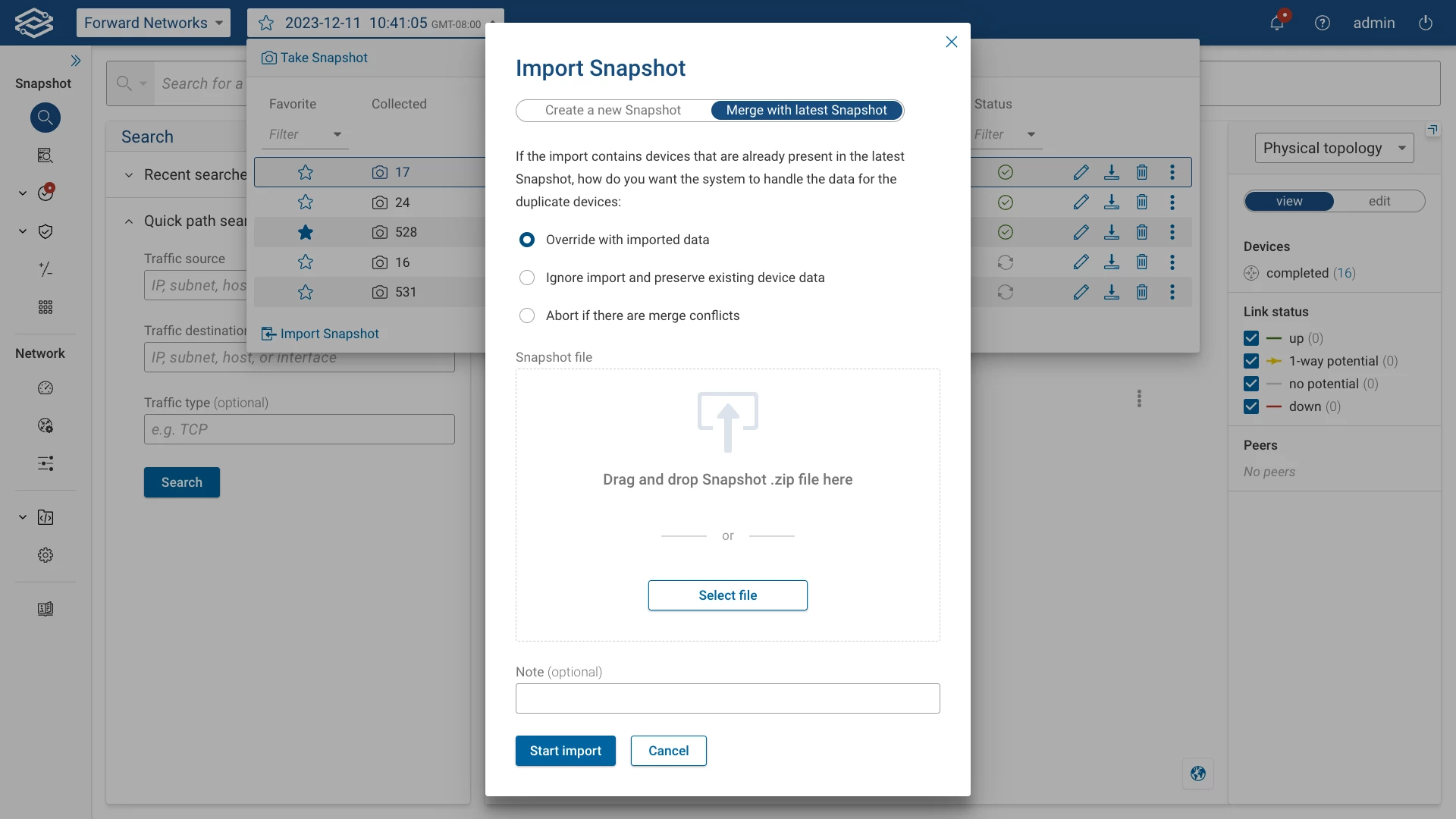
To start merging Snapshots, navigate to the Snapshot Selection dropdown and select Import Snapshot at the bottom.
For more information regarding Snapshot management, visit our documentation page.