

We are proud to announce the release of version 24.3, a feature-packed update focusing on advanced functionality and user-centric improvements. This release delivers powerful enhancements to some of our major features and adds additional vendor support for Meraki MX & MS and NSX-T. Here's an overview of what’s new:
NQE Query History
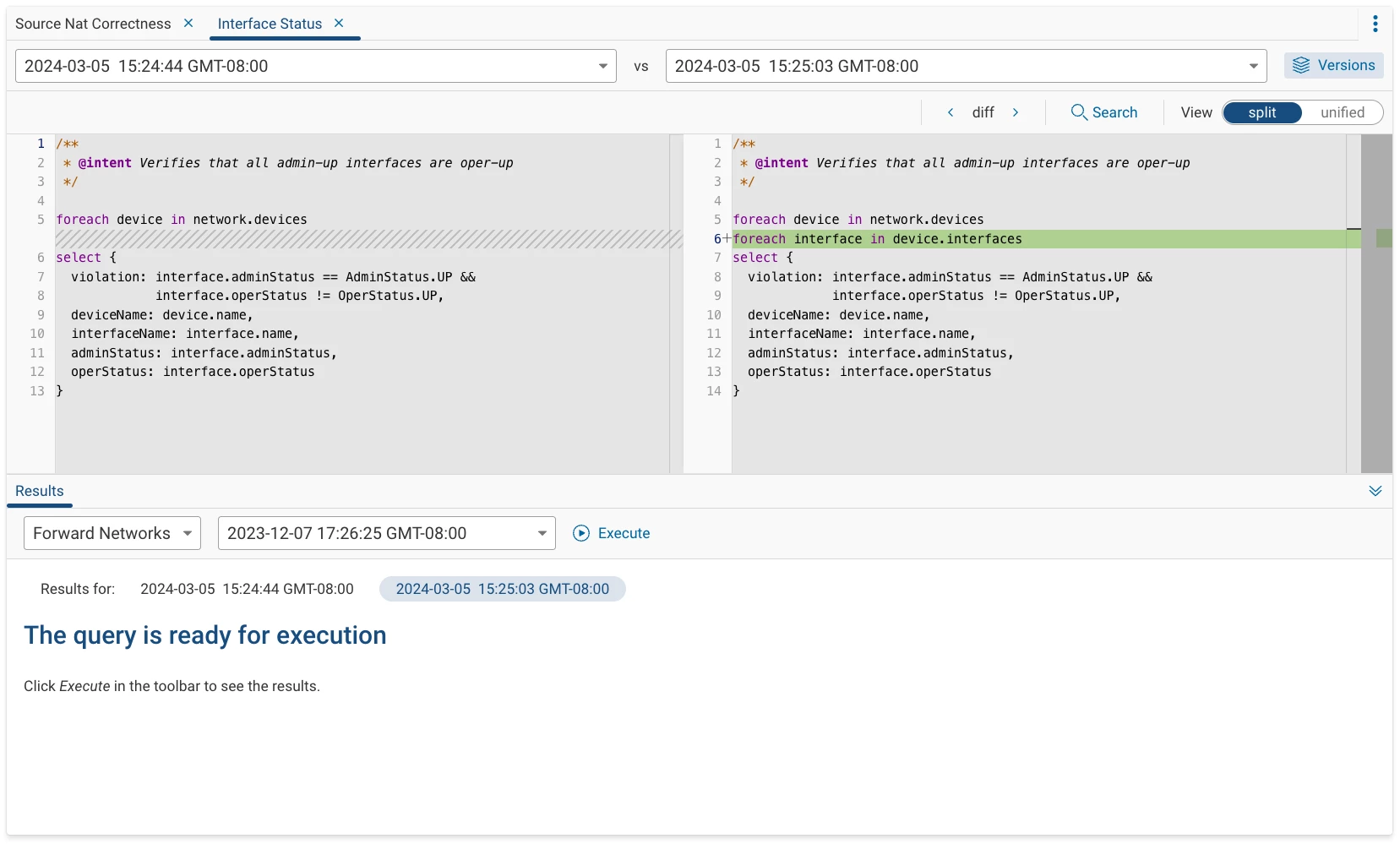
NQE Query History enhances how you interact with your NQE queries. This advanced functionality not only allows you to access and view the entire history of your queries but also brings forth tools to compare and test different versions effortlessly. Gone are the days of juggling multiple saved versions of a query, as Query History introduces a streamlined approach to revising and optimizing your queries.
Key Enhancements:
- Version Tracking: Easily navigate through the historical timeline of your queries, understanding each modification and its impact.
- Comparative Analysis: Utilize the versatile comparison views - the Unified View merges changes for a quick overview, while the Split View offers a detailed, side-by-side comparison of different versions, highlighting the evolution of your queries.
- Efficient Testing: Directly test any version of your query from the history, viewing results in real-time to assess the effectiveness and accuracy of different iterations.
To learn more about NQE, visit the documentation page.
NQE Data Model
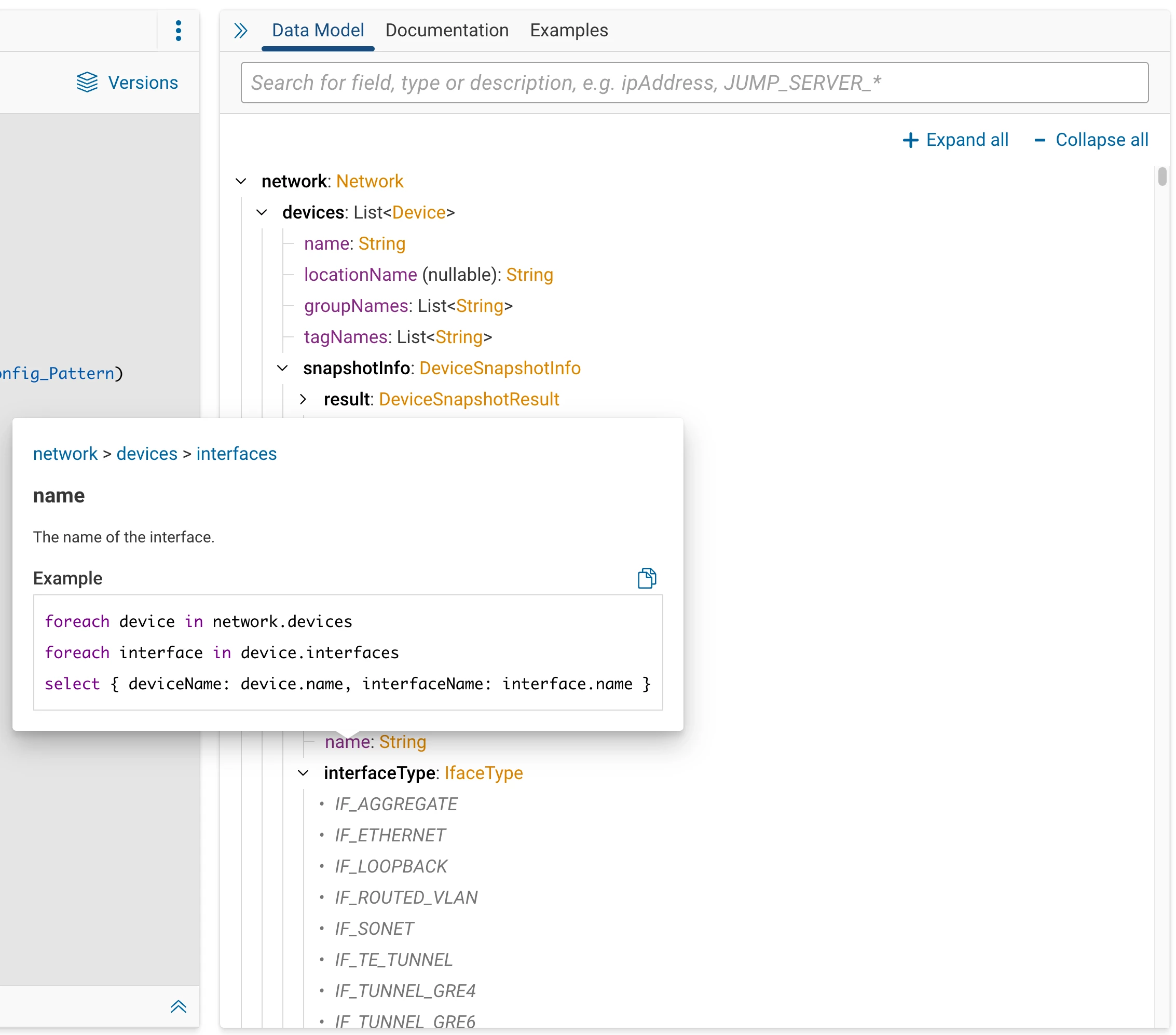
The NQE Data Model now boasts a more intuitive search experience, adding key device classification fields and interface details, enhancing your ability to understand and leverage your network's schema. This upgrade brings clarity and depth, ensuring critical data is at your fingertips when creating your own NQE queries.
Key Enhancements:
- Text Highlighting: Key information now stands out with distinct color coding, making data types easily distinguishable at a glance.
- Enhanced Search: The search functionality has been refined for more intuitive and faster results.
-
Interactive Tooltips: Hovering over data model elements now triggers interactive tooltips, offering comprehensive context and practical examples.
To learn more about NQE, visit the documentation page.
Vendor Support and Modeling for Meraki MX & MS
Expanding our reach, the 24.3 release integrates with Meraki’s cloud-based dashboard, enhancing Forward’s capabilities to manage and monitor Meraki MX and MS devices, further enhancing your network management experience.
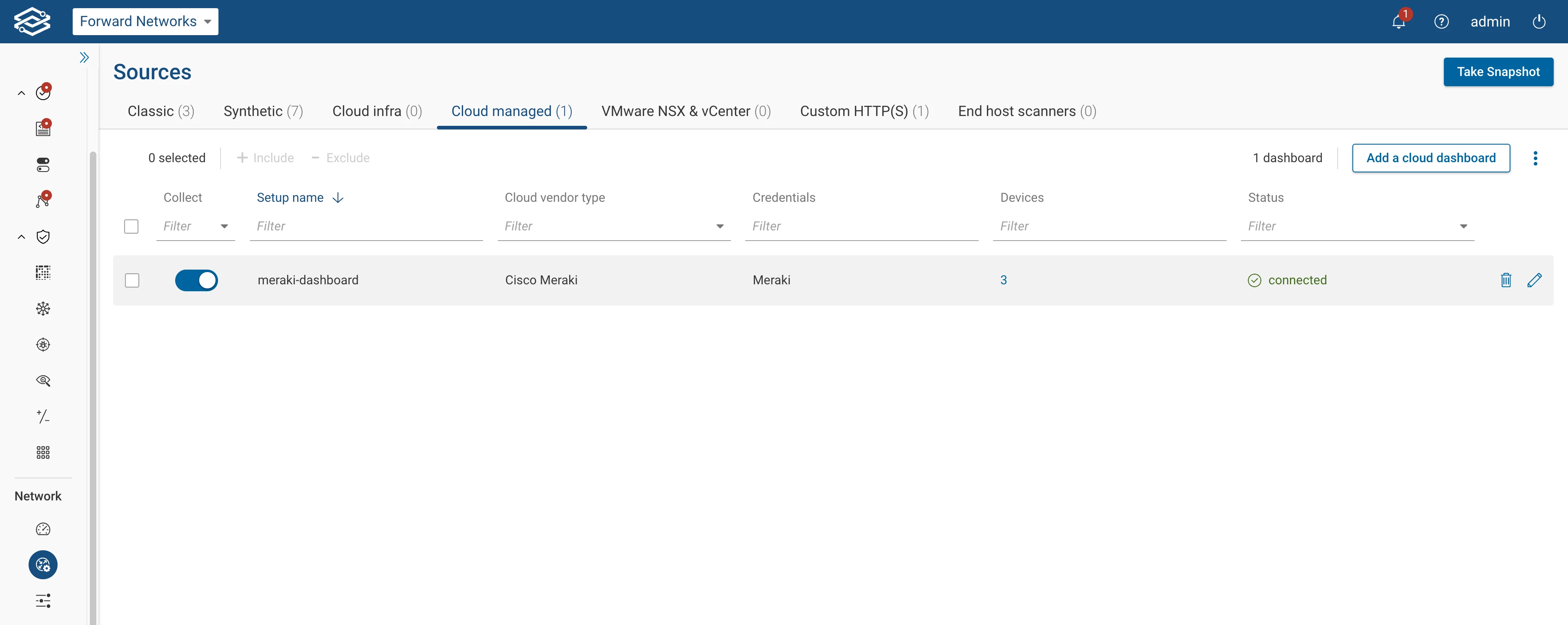
For step-by-step instructions on adding Meraki to your Forward deployment, visit the documentation page.
Vendor Support and Modeling for NSX-T
Support for NSX and vCenter now includes NSX-T, used to configure, manage, and operate VMware's NSX-T Data Center environments Thanks to the new NSX-T Setup Wizard, we now have a streamlined setup process for adding NSX and vCenter devices, ensuring a unified management experience.
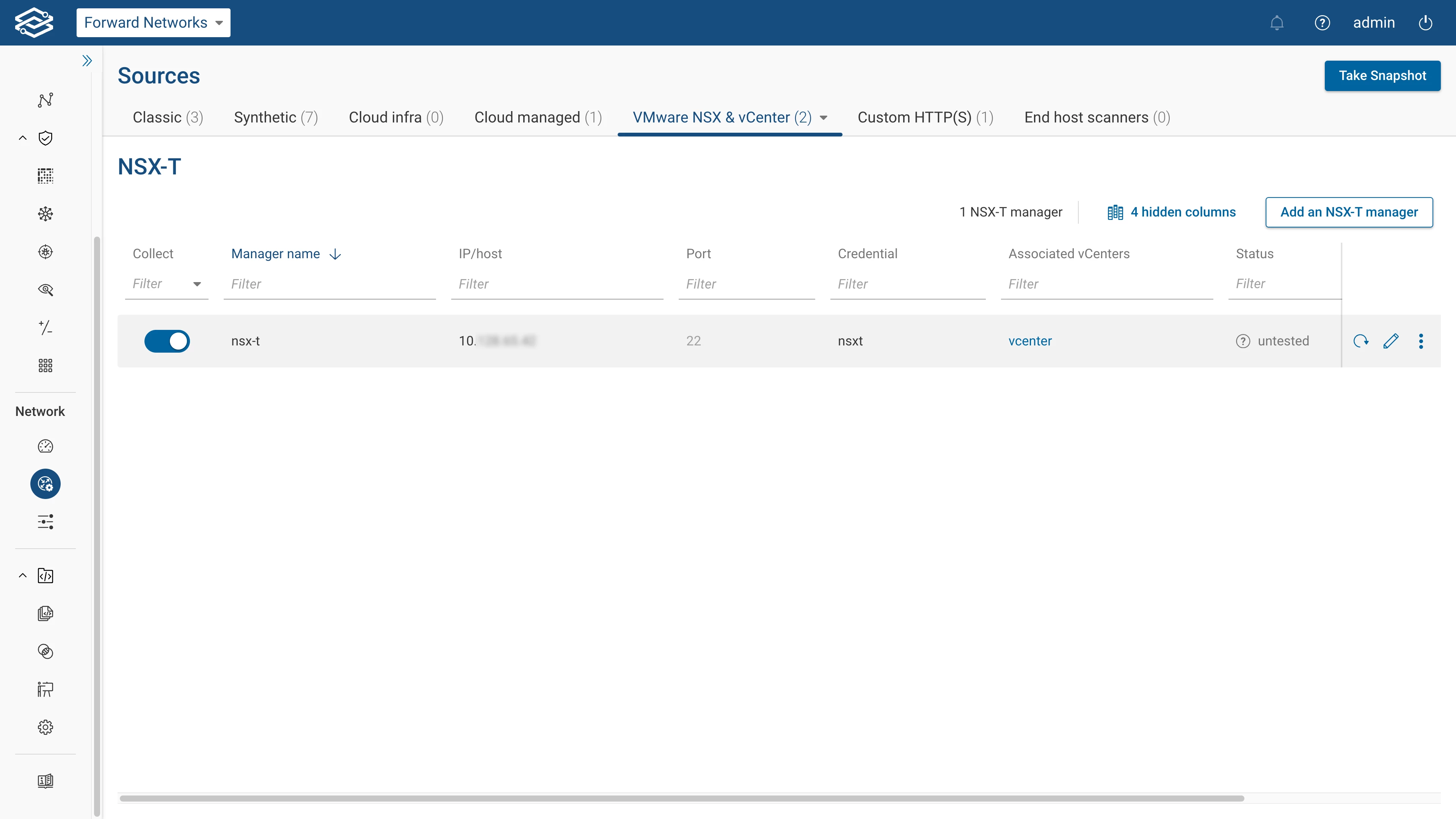
For step-by-step instructions on adding NSX-T to your Forward deployment, visit the documentation page.
License Decommissioning Improvements
In previous releases, device license decommissioning was a multi-step process, with the 24.3 update, this process has been streamlined to allow for the removal and decommissioning of multiple devices across multiple networks in a single action. Decommissioning devices have also been grouped and can be viewed in a single location within the license dashboard.
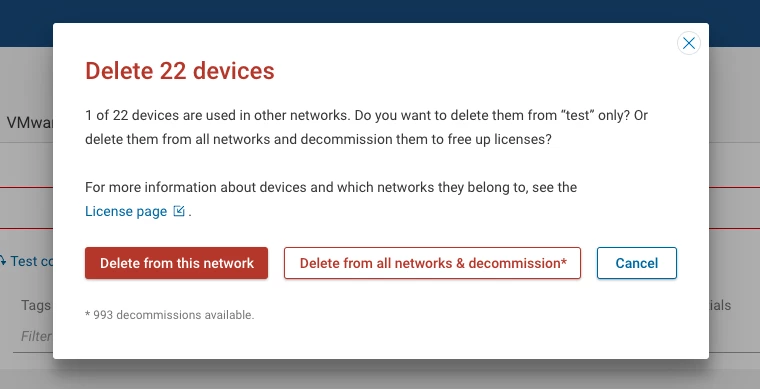
To learn more about license management, visit the documentation page.
Multiple Sources Blast Radius
Improving from 24.2, Blast Radius now facilitates multi-source analysis, providing detailed insights across multiple points in the network, enhancing your ability to strategize and prepare for potential security incidents.
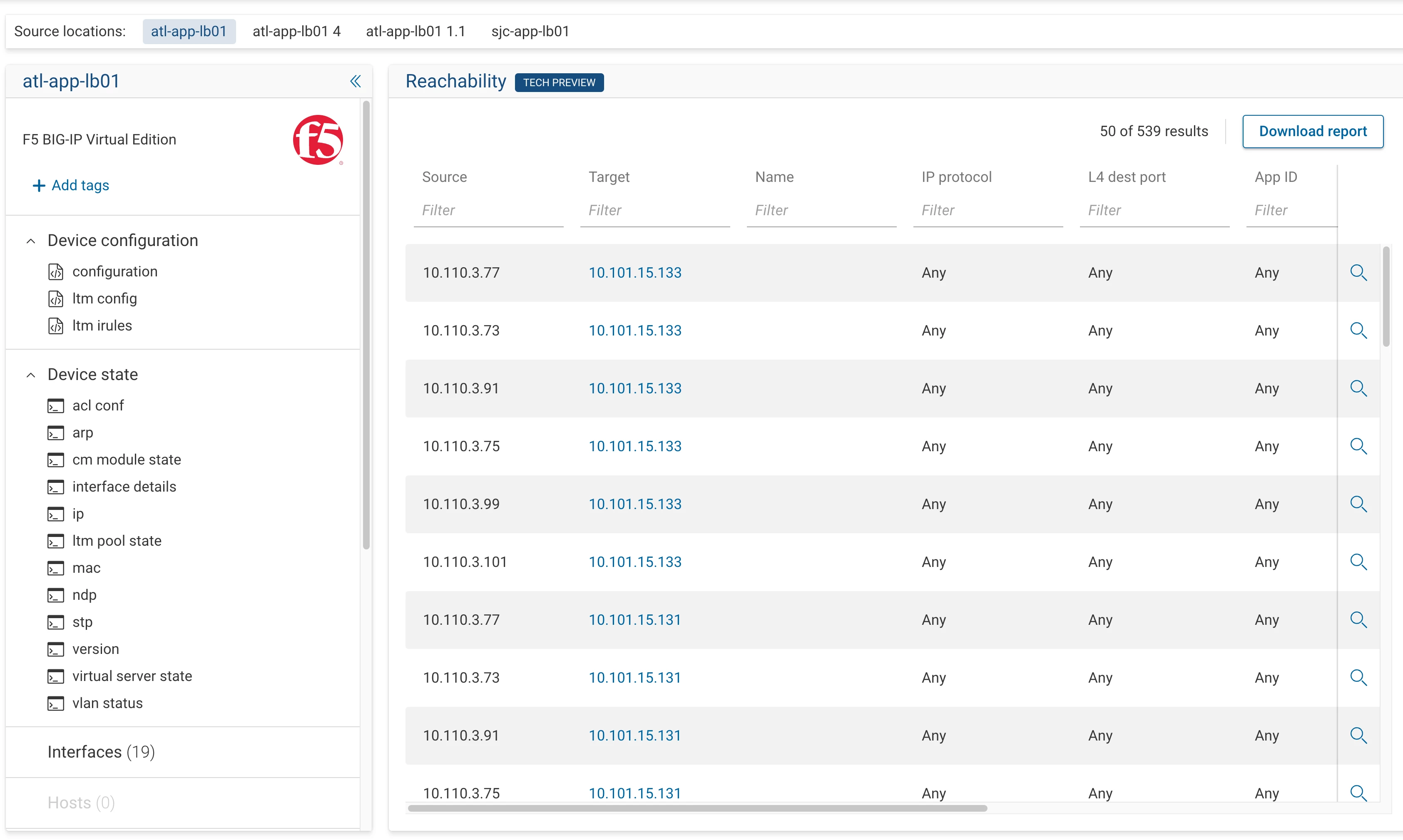
The following source types are available for use:
- Device
- Interface
- Security zone
- Device VRF
- Host alias
- Device alias
- Interface alias
- Subnet location
To learn more about Blast Radius, visit the documentation page.