

We’re excited to announce the release of Forward Enterprise 24.10.0! This release brings powerful features and updates to improve network performance monitoring, troubleshooting, data collection, and security compliance. For complete release details, see the full release notes.
Network Performance - Monitoring on Intent
With this release, network performance monitoring is enhanced to offer Intent-based health monitoring, initially available only for Existence verifications. Users can now collect and correlate SNMP data with network configuration and state information to gain critical insights into network health, efficiency, and reliability.
This monitoring tracks device and link health along paths defined in Intent verifications, alerting users when performance issues such as errors or high utilization exceed configured thresholds. By highlighting affected Intent paths, users can troubleshoot more effectively, focusing on critical areas rather than sifting through extensive device data.
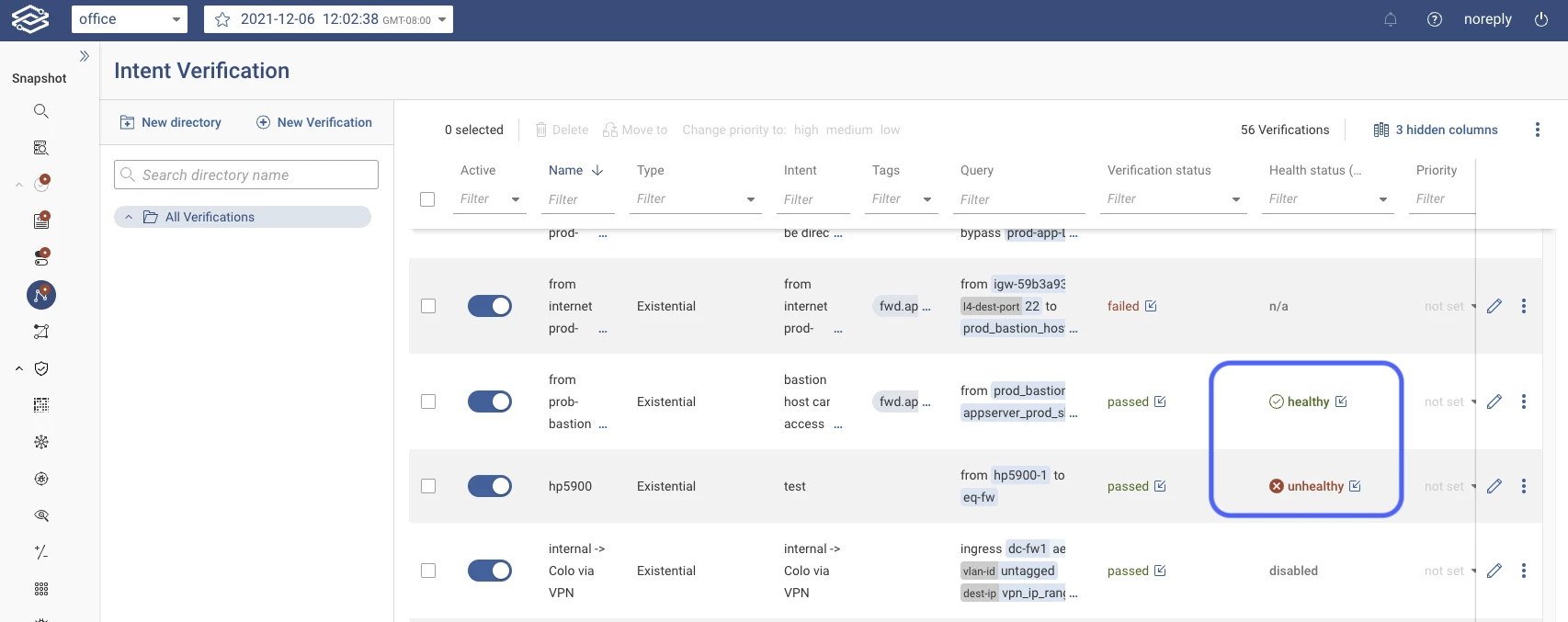
By clicking on the health status, the user can explore the details for the path:
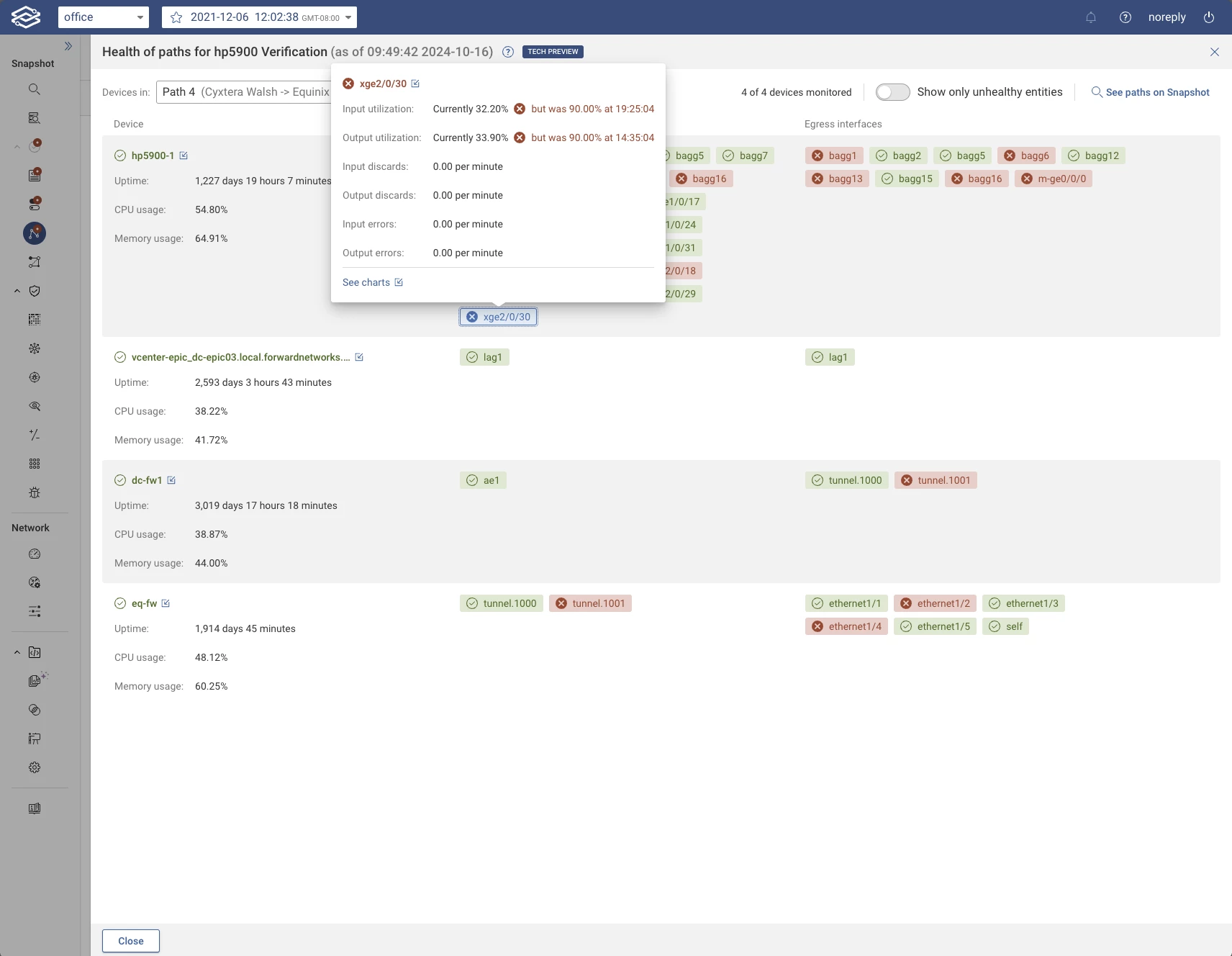
Stay tuned for alerting capabilities in the upcoming 24.11 release, which will automatically notify users when Intent health checks fail.
Learn more about Performance Data collection by visiting the documentation page.
Troubleshooting - Path Analysis Diffs
With Path Analysis Diffs, users can compare path search results across different snapshots to see how specific paths have evolved. This historical view allows operators to troubleshoot network changes by viewing configuration, device presence, and status differences between two snapshots.
Path Analysis Diffs are especially useful in identifying unexpected changes that might impact network performance or security. By viewing side-by-side comparisons, operators gain better visibility into how their network behavior is evolving over time.
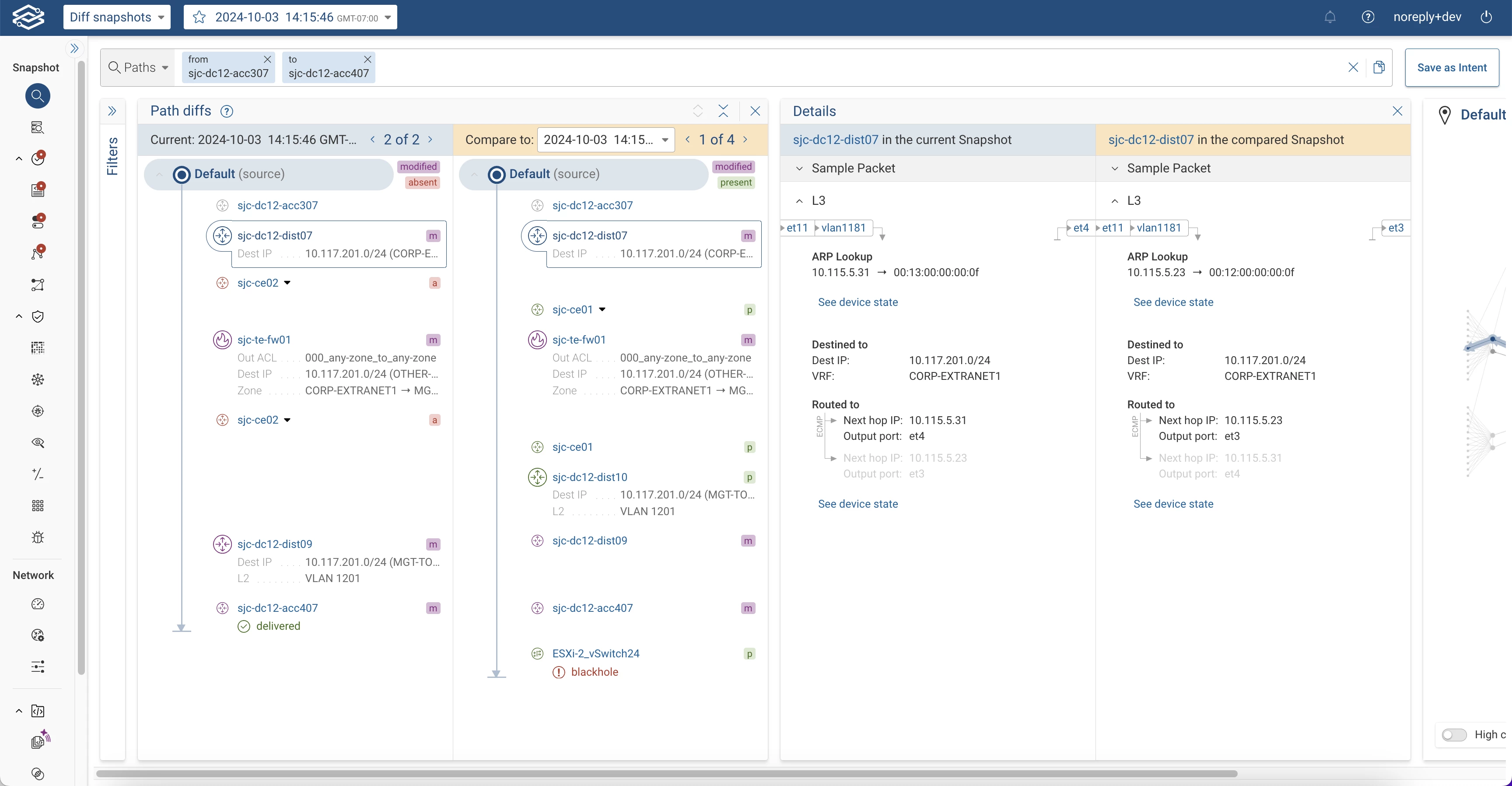
To learn more about Path Analysis, read the documentation documentation page.
Dashboards - Customizable Insights Dashboard
The Customizable Insights Dashboard introduces a highly personalized dashboard experience, allowing users to create dashboards tailored to specific roles, such as network engineers, security teams, or executives. Users can now:
- Build role-specific dashboards with panels from Forward's pre-built widgets and user-defined Scorecards.
- Customize layouts by resizing, rearranging, and pinning panels to match specific monitoring workflows.
- Save and pin multiple dashboard views to quickly access key insights from the Dashboard page.
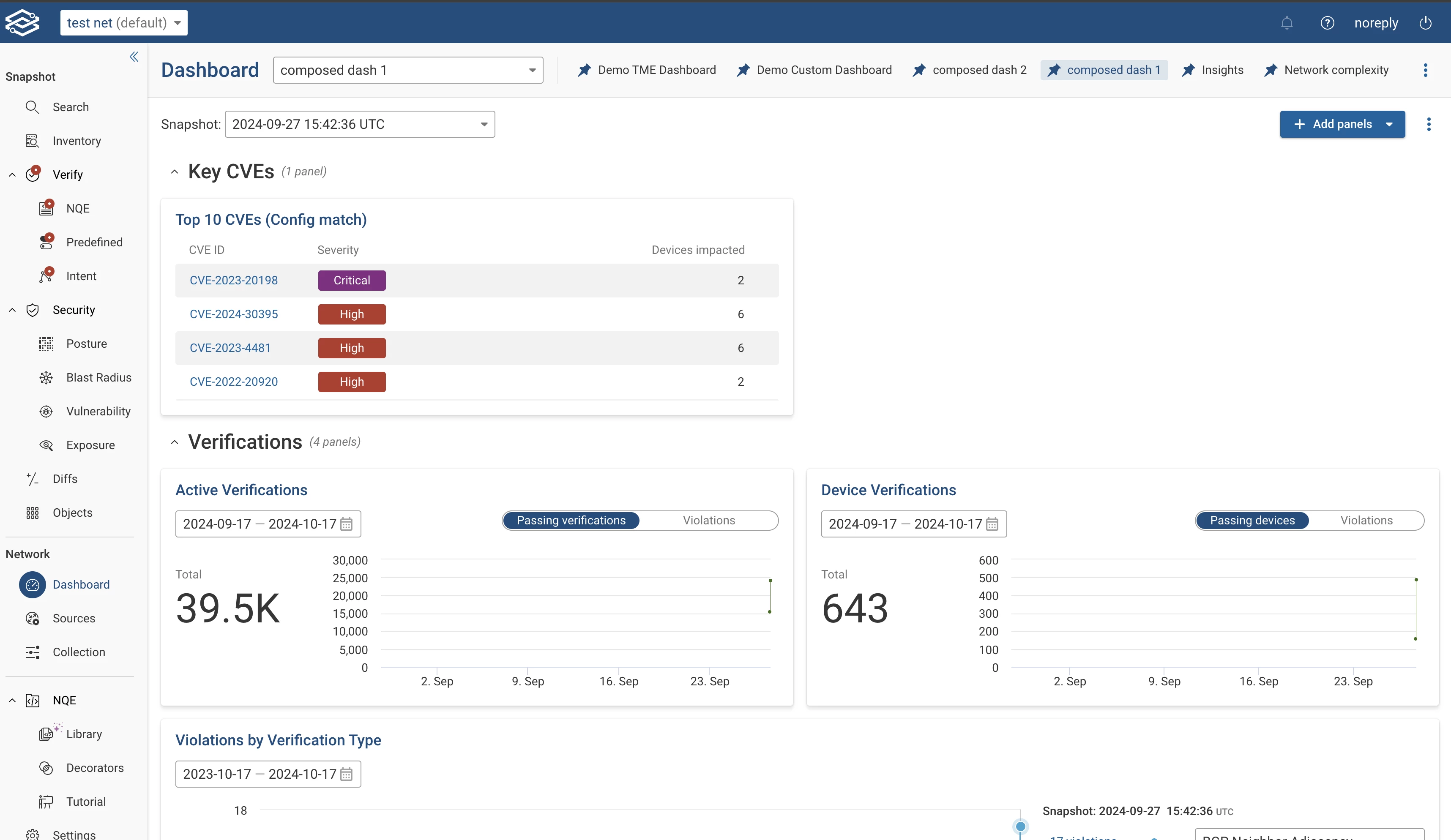
To learn more about Dashboards, read the documentation page
Integrations - Webhooks for Verifications
The 24.10 release extends webhook support by adding notifications for Intent and NQE verifications. Users will now receive real-time updates on verification status changes, such as from pass to fail, helping to detect and address issues as soon as they arise.
Additionally, this update introduces custom key-value pairs for webhooks, allowing users to add metadata such as application names, priority levels, and other classifications, making webhook notifications easier to process and organize.
For more information on our system webhooks, visit the documentation page
Security - STIGs Verification - Q3 update
STIGs (Security Technical Implementation Guides) are essential for aligning with Defense Information Systems Agency (DISA) security standards. This update ensures that Forward Enterprise's STIGs verification aligns with the latest Q3 DISA guidelines, helping organizations maintain compliance with stringent security measures.
Data Analysis - Regex Capability for NQE Queries
Regex support in NQE enables advanced text processing within queries, adding flexibility to handle complex data extraction and pattern matching. This enhancement provides more control over data queries by enabling character-level pattern matching and capturing typed data directly within regex matches.
Key Features:
- Regex Matching: Use regex for detailed, character-level matching to validate fields such as device names.
- Typed Capture Groups: Directly capture and process typed data (e.g., numbers, strings) in regex matches for greater query efficiency.
For the NQE-specific release notes, click here.
Collection – Custom Encryption Keys for SaaS Collectors
Collection secrets, i.e., sensitive fields in credentials such as password, SSH key, etc., are always encrypted using
AES-256 and securely stored by Forward Enterprise. Until the 24.9 release, the secrets were encrypted with a
hard-coded encryption key and stored in the collector installation directory. The 24.10 release introduces support for
custom encryption keys that are unique to each collector. With the 24.10 release, the encrypted secrets are stored
within fwd.app, and the on-premises collectors store only the unique encryption key that is used to encrypt the
collection secrets. The collection secrets are migrated to the new format transparently upon collector upgrade with
a unique auto-generated encryption key for each upgraded collector. The encryption key is now user-configurable and
supports key-rotation.
The 24.10.0 release also introduces native support for backup collectors via a shared encryption key with the primary
collector.
Modeling
- Huawei: Partial support for Huawei devices - (Interface parsing, Basic L3, and L2).
- Juniper: Mist AccessPoint support (no setup wizard).
Additional Features
- Topology - Ability to override links between port channel members.
- Operations - Workspace Network Setup: Optimized network setup flows based on selected device types in workspaces.
- Collection - Cloud Setup: - Region-specific Internet proxy support in cloud setup.
- NQE Analysis - Collection and backfill times are now visible in NQE.