
We're excited to share that, by popular demand, In-App Audit Logs are now available, giving org admins full visibility into activity across their Forward Networks platform - no support ticket required.
Where to find it
Head to Platform → System → Audit Logs to get started.
Full visibility into platform activity
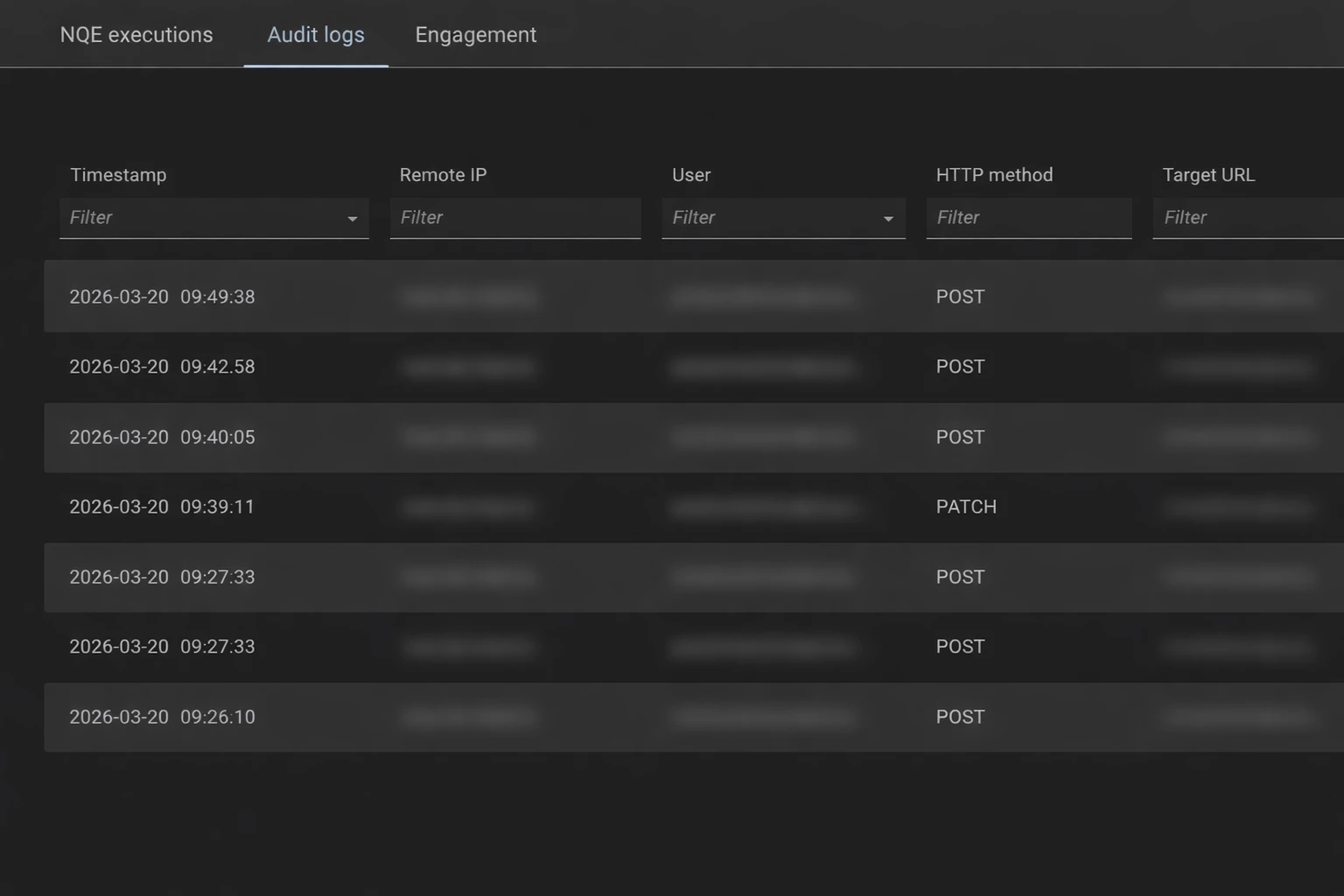
Audit Logs capture every meaningful change in your environment, including create, update, and delete operations, as well as authentication events. Every log entry includes the timestamp, originating IP address, the user who performed the action, the HTTP method used, the target object affected, and the outcome, giving you a complete, reliable picture of what happened and when.
Accountability built in
Impersonation activity is fully visible too. If an action is taken on behalf of another user, the log clearly reflects that, so you always have an accurate record of changes in your environment.
Powerful filtering and export
Finding the events you care about is quick and easy. Every column is filterable, narrow down by time range, user, HTTP method, target, IP address, and more. When you're ready to share or archive your findings, export the filtered results to CSV with a single click. The export respects your active filters, so you get exactly the records you need.
Flexible retention
Audit logs are retained for 30 days by default, with the option to extend retention to suit your compliance and reporting requirements.
This feature was built in direct response to customer feedback, and we hope it gives your team the transparency and confidence you need to manage your platform with ease. As always, we'd love to hear your thoughts, let us know in the comments how Audit Logs are working for you.